Desktop · MIT · Node 18+

Timed subtitles.
Local or cloud.

Transcribe locally or in the cloud, edit on a timeline, style the text, and export files or a burned-in video.

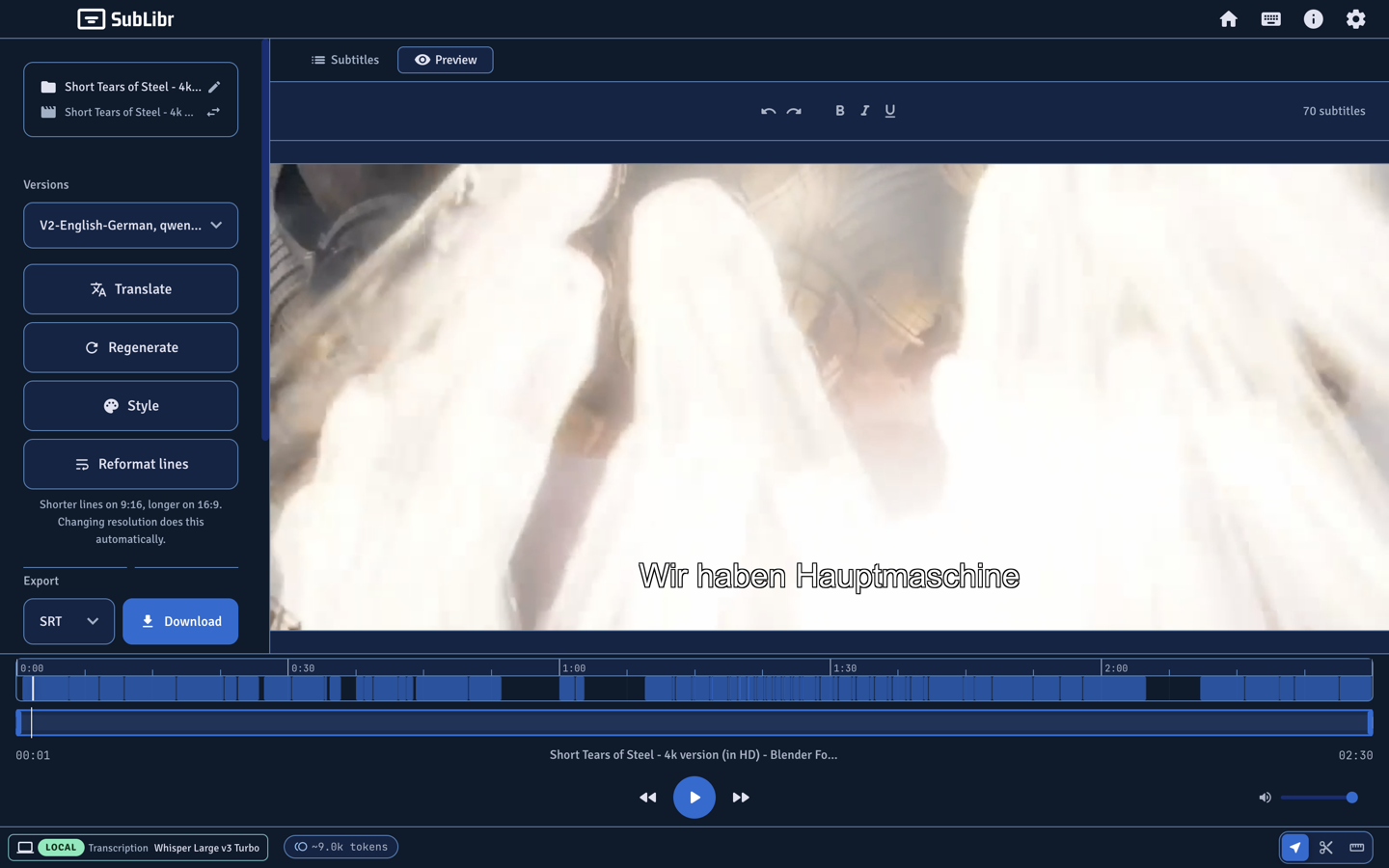
SubLibr preview: burned-in German cues on video, two-tier timeline, Local Whisper in the footer.

01 Transcribe

Speech models that return times.

SubLibr only transcribes with models that stamp cues. Generate from the sidebar, or import SRT, VTT, or ASS.

  • Local: Whisper Large v3 Turbo via whisper-cli (99 languages). Optional ivrit.ai for Hebrew.
  • Cloud: Gemini 3.5 Transcribe, or OpenAI Whisper (whisper-1).
  • Long files split into overlapping parts, stitch at boundaries, then fill gaps.
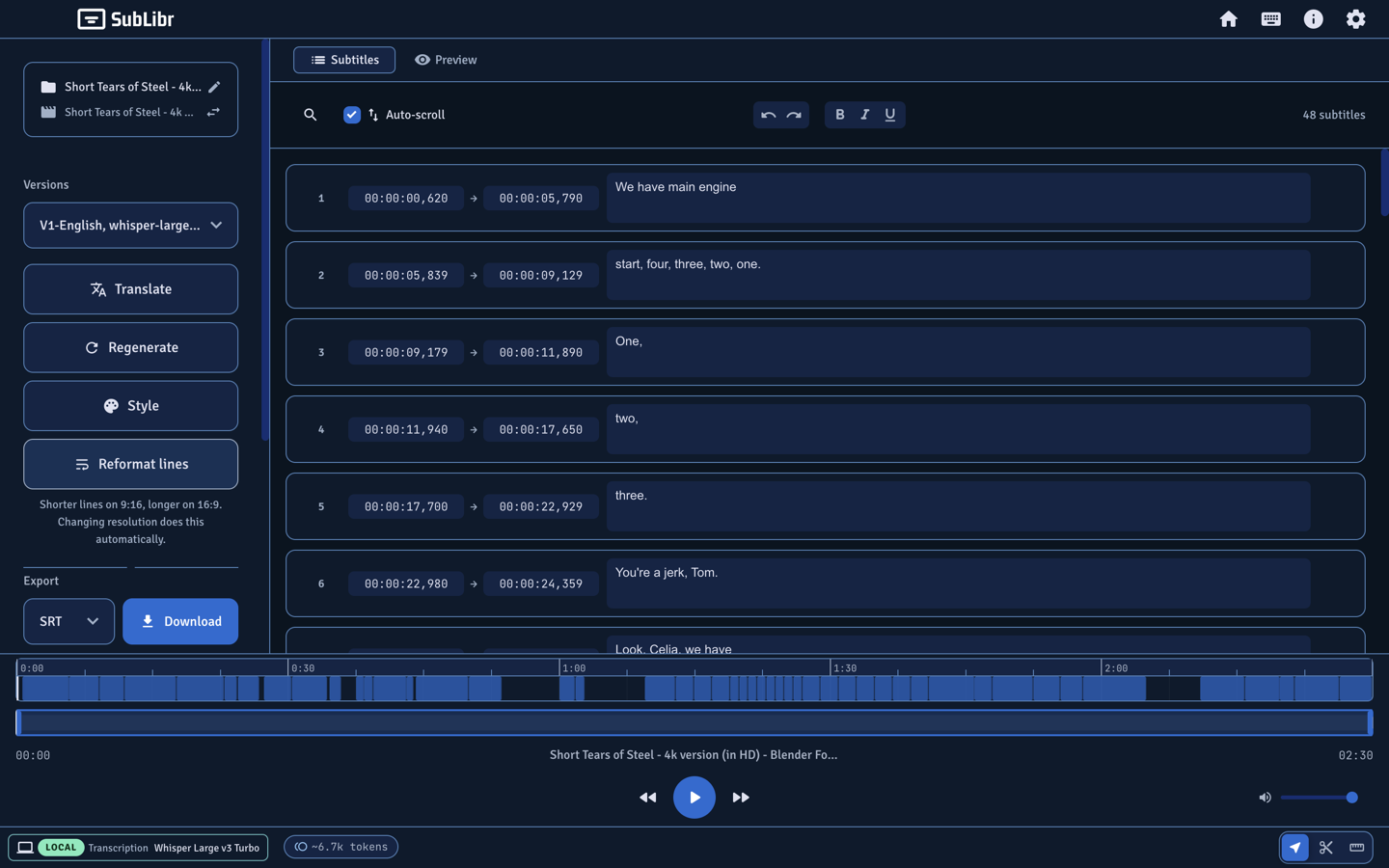
Editor list of English cues with timestamps after local Whisper transcription.

02 Translate

Rewrite text. Keep the cues.

Each translation is a new version. Whisper does not translate — a separate model rewrites the lines.

  • Cloud: Gemini Flash or Pro, GPT-4o or GPT-4o Mini.
  • Local: Qwen2.5 via llama-server (7B default, optional 3B).
  • Add an instruct GGUF (Qwen, Llama, or Gemma) in Settings → Models.
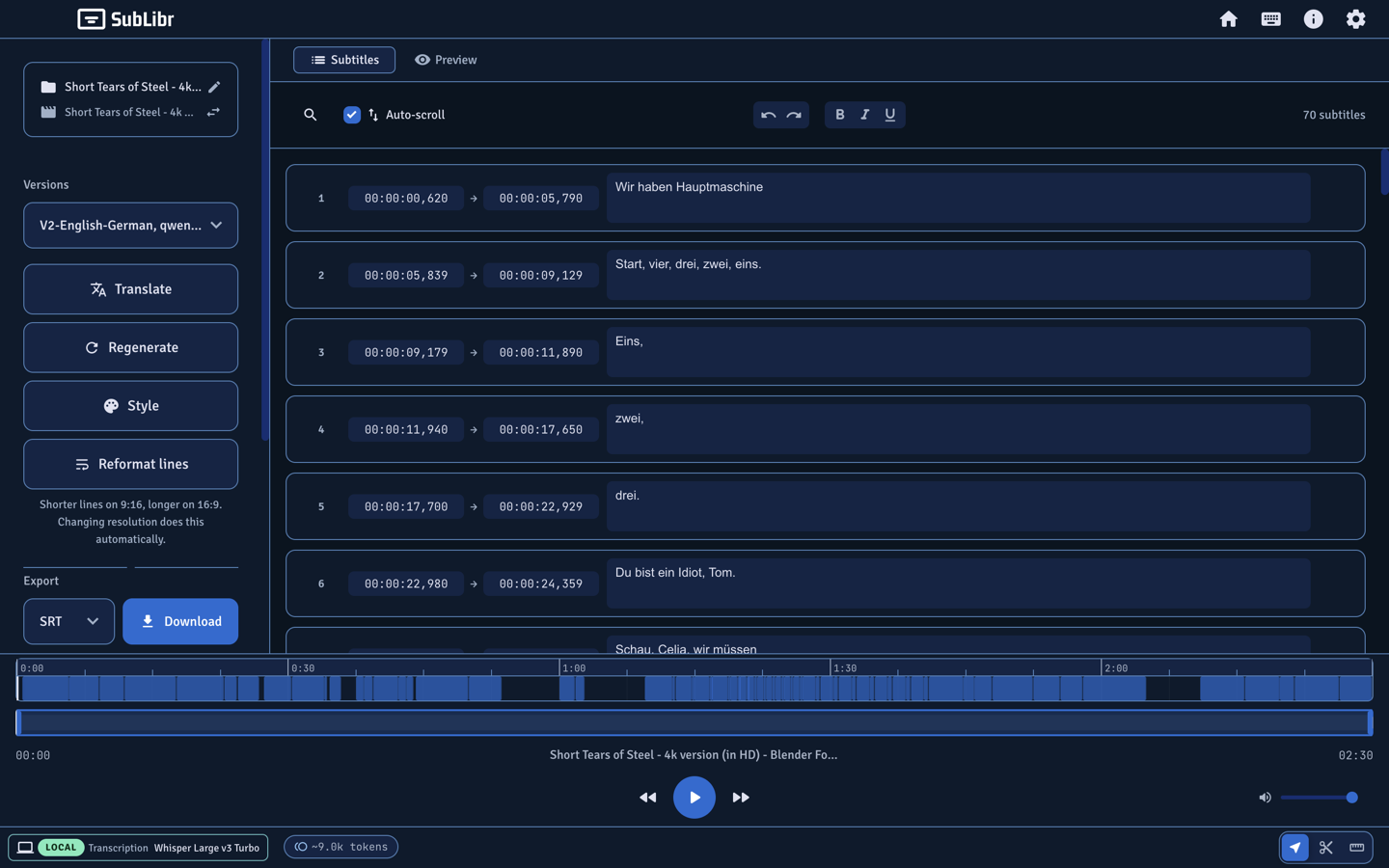
German translation version in the subtitle list, same timestamps as the English pass.

03 Generate

Pick a language. Then generate.

Drop a file, choose Local or Cloud, pick a language or auto-detect. Local is enabled only when Whisper is installed and probed.

  • Audio stays on this computer in Local mode.
  • Import SRT, VTT, or ASS if you already have cues.
  • List, preview, and a two-tier timeline once the pass finishes.
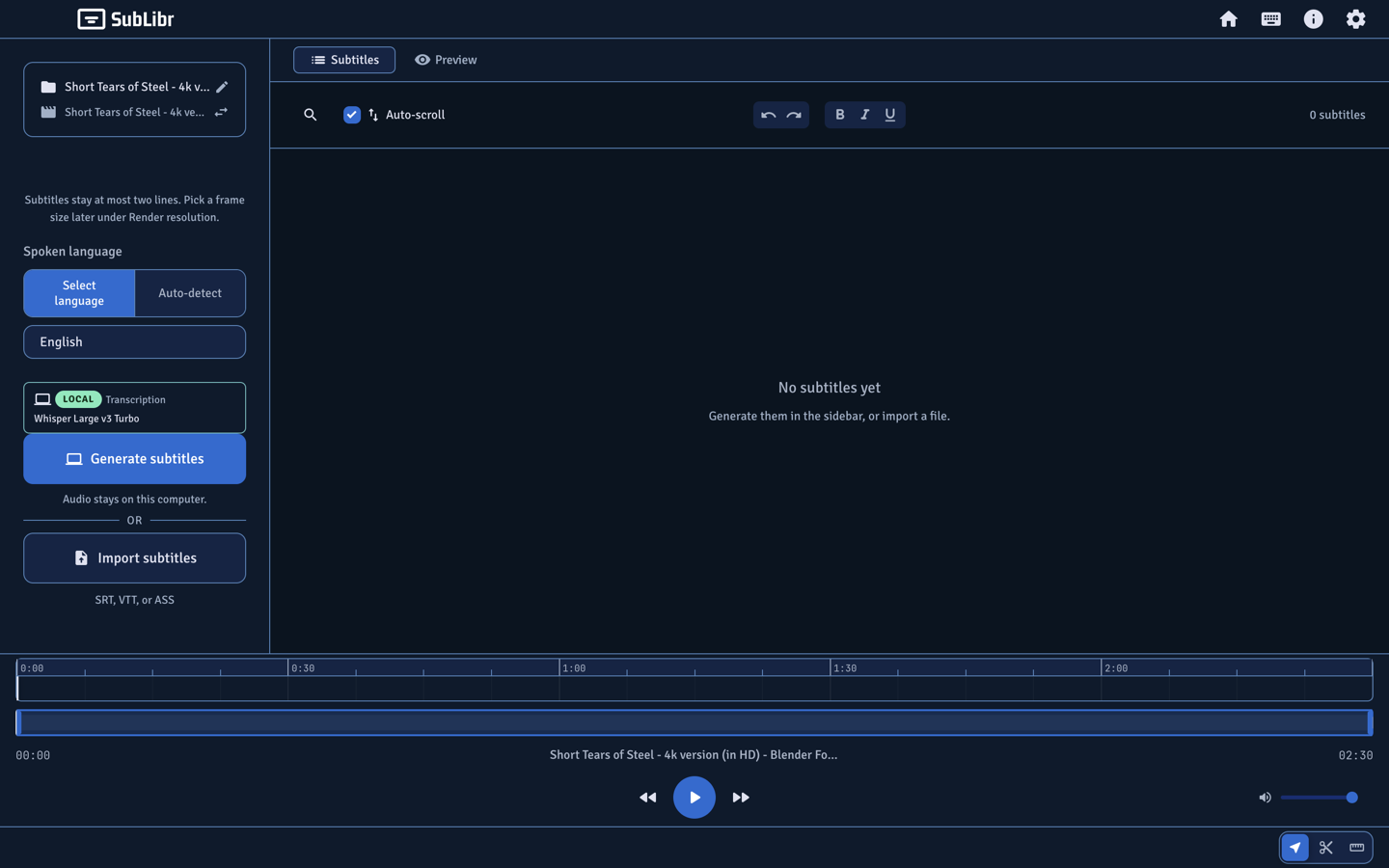
Generate panel with Local transcription, language picker, and an empty subtitle list ready for the first pass.

04 Local / Cloud

One toggle for transcription. Another for translation.

Settings → General. Cloud options appear after you test a key. Local is enabled only when Whisper is installed and probed.

Local

Audio stays on this computer. Homebrew whisper-cpp / llama.cpp, weights in models/.

Cloud

Gemini or OpenAI after a tested key. Keys live in OS-encrypted electron-store, never in the project folder.

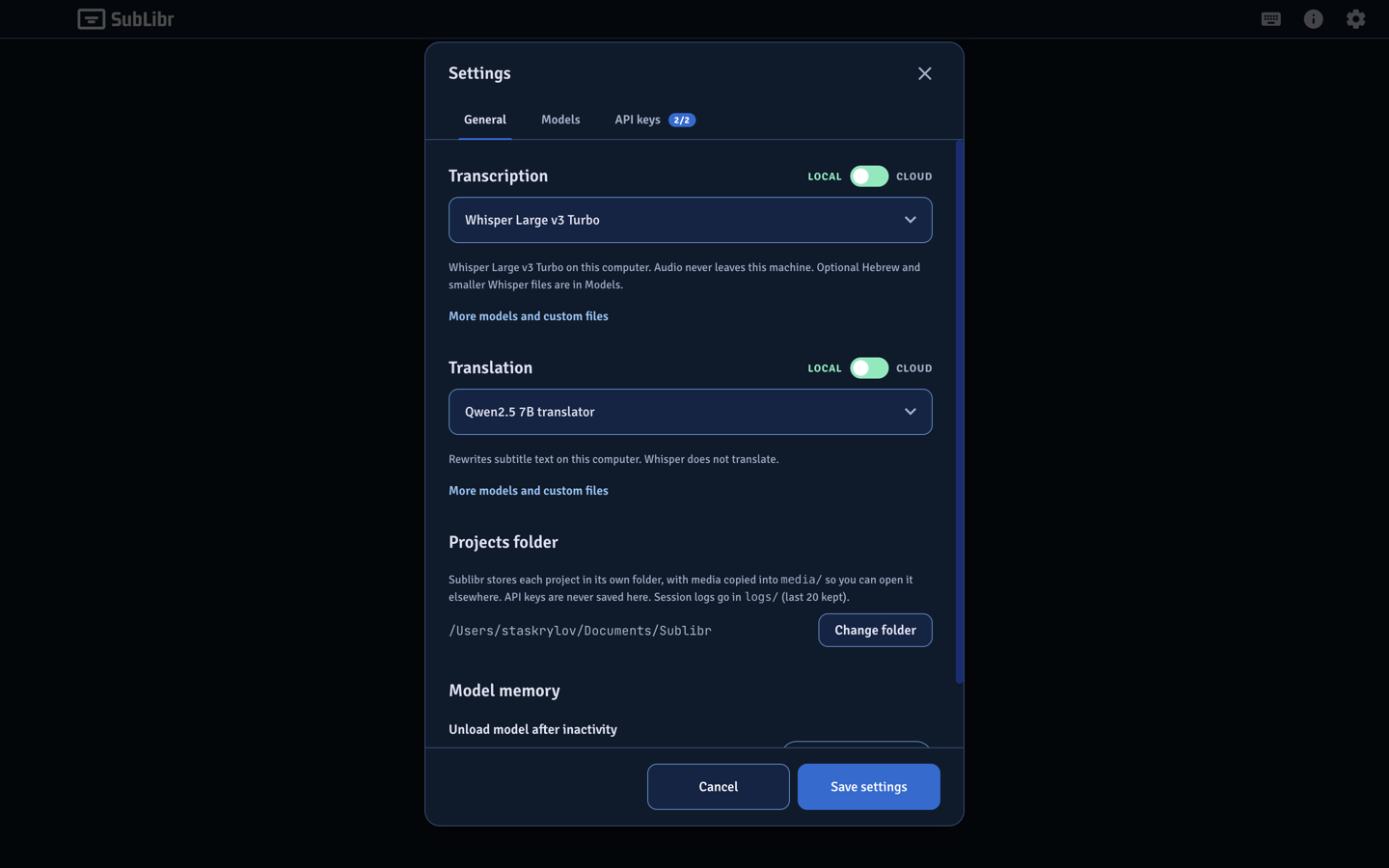
Settings General tab with Local and Cloud pickers for transcription and translation.

05 Projects

Folders you can move.

Each job is a folder (default ~/Documents/Sublibr). Media is copied into media/. Identity is the folder, not an absolute path. Files up to 3 GB.

  • Drop video, audio, SRT/VTT/ASS, or a SubLibr project. Or start from scratch.
  • Latest projects: open, rename, duplicate, delete, or relink missing media.
  • Download SRT, WebVTT, or ASS. Burn styled subtitles into a video.
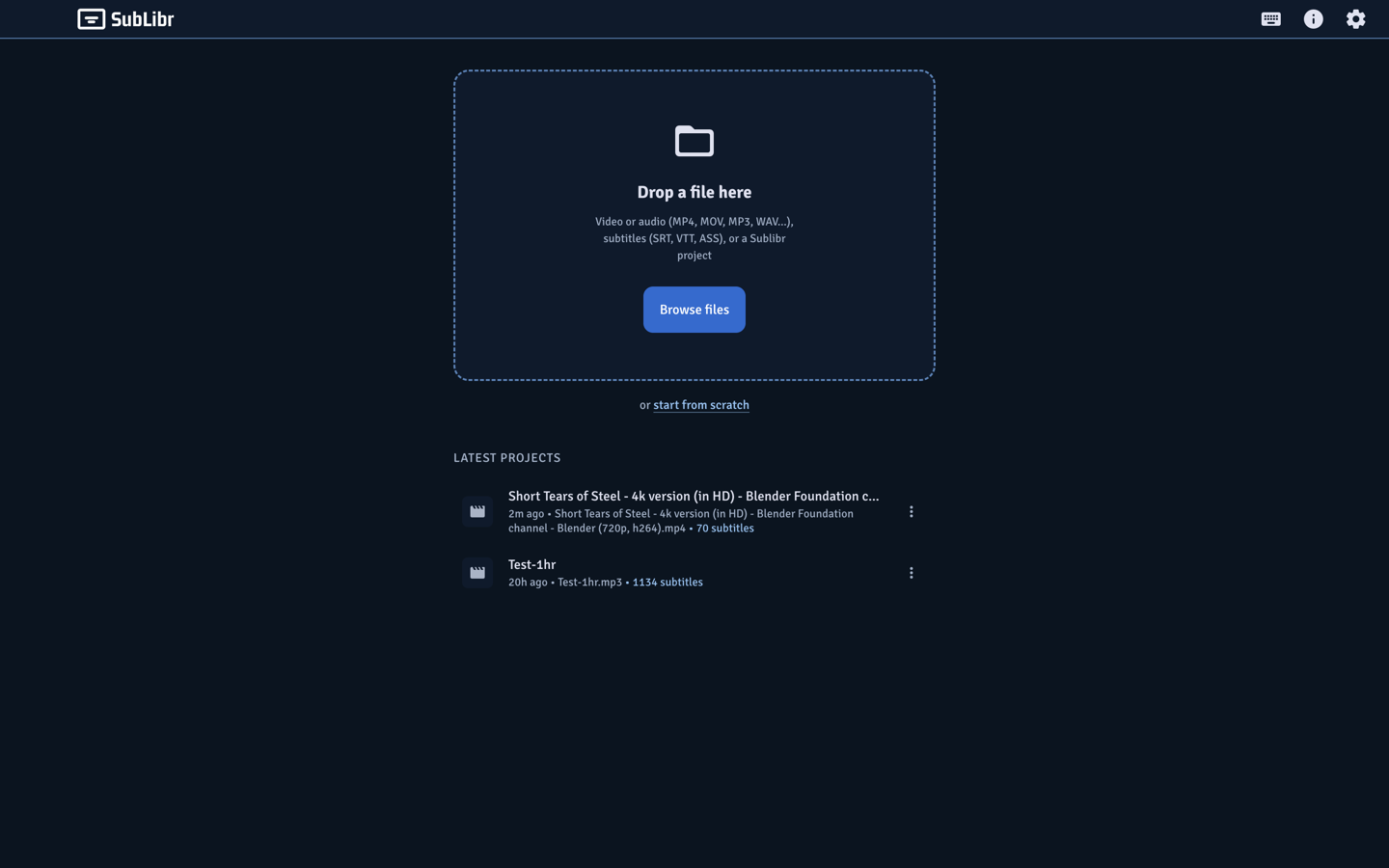
Home screen with a drop zone and latest projects list.

Try it in your terminal

There is no packaged installer. Clone the repo. Node 18 or newer.

git clone https://github.com/stskr/sublibr.git
cd sublibr
npm install
npm run dev

If Electron exits immediately in Cursor, the shell is injecting ELECTRON_RUN_AS_NODE=1. Clear it:

ELECTRON_RUN_AS_NODE= npm run dev

First launch asks where to store projects. Then Settings → API keys to test a cloud key, or General → Local and Set up offline.

Everything on the machine

Specific models, formats, and folder paths — not a feature wall of adjectives.

  • Timed transcription

    Only models that return timestamps. Pause and resume. Session token usage on cloud runs.

  • Translation versions

    Keep the transcription. Each rewrite is a new version you can switch back to.

  • Portable projects

    A folder with project.sublibr, media/, cues, versions, and logs.

  • Timeline + style

    Detail track and minimap. Title-safe position. Screen format drives line length.

  • SRT / VTT / ASS

    Download the current version. Import an existing file if you already have cues.

  • Burn-in

    Render a video with the styled track. Preview is the same canvas as the export.

  • Local Whisper

    whisper.cpp on this machine. Turbo is the default for every language, including Hebrew.

  • Cloud Gemini / OpenAI

    Options appear after you test a key on the API keys tab. Usage under those providers’ terms.

  • RTL / Hebrew

    Typography for RTL scripts. Optional ivrit.ai Whisper weights in Settings → Models.

  • Long files

    Overlapping chunks, stitch, then a pass that fills gaps the model skipped.

  • Encrypted keys

    API keys in OS-encrypted electron-store. Session logs (no secrets) in each project’s logs/.

  • Set up offline

    Consent checkbox, then Homebrew packages and Hugging Face weights. Already-present files are skipped.

Timed subtitles.
Local or cloud.

Clone the repo. There is no .dmg.